Why connecting Cloud PLM and CAD is important

How the integration of Cloud PLM and CAD supports efficient product development

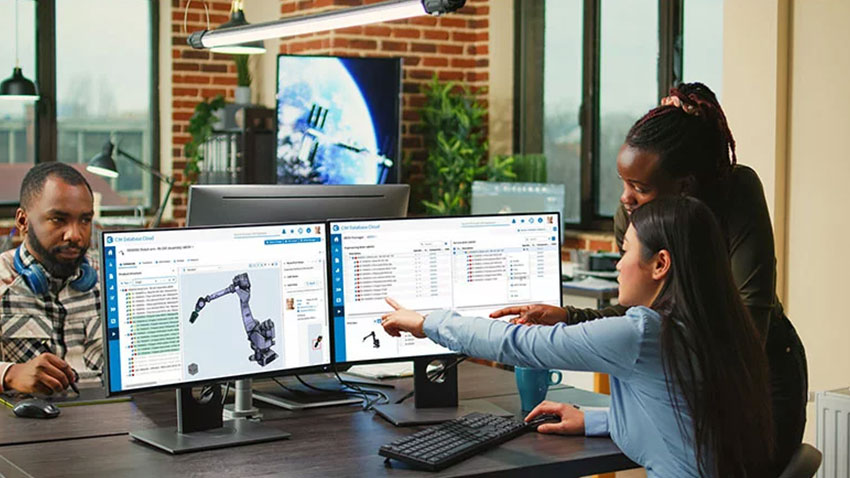
Engineers, designers, and CAD users often experience data chaos in their daily work: MCAD files (Mechanical Computer-Aided Design) can either be archived in a technical document management system or stored in the file system. While some ECAD systems (Electronic Computer-Aided Design) offer dedicated database solutions, there is still limited communication and interaction between the MCAD and ECAD worlds. The consequence? Mutual dependencies are not consistently represented in a single software. Although workflow management systems can provide good orientation about the current project phase, they are limited to merely providing links to documents without managing them reliably. This leads to data silos that complicate collaboration among design teams and slow down the entire product development process.

The integration of Cloud PLM and CAD solves this problem. PLM software connects CAD models with all other product-descriptive documents and data, breaking down silos and organizing the data chaos.

Find out how the integration of Cloud PLM and CAD leads to more efficient product development in this interview with Kai Ruhsert and Heiko Jesgarsz, Product Managers at CONTACT Software.

What is the advantage of PLM in the cloud?

KR: Product Lifecycle Management (PLM) allows companies to manage the entire lifecycle of a product, from the initial idea and development to production, distribution, and maintenance. Instead of installing PLM software locally, cloud-based PLM provides access via the internet. This not only leads to better scalability and increased security but also lower IT infrastructure costs. The integration of employees at any additional locations is simplified, making collaboration in global product development projects more efficient.

What benefits arise from the integration of Cloud PLM and CAD?

HJ: Many design teams need to collect, review, and assess product-related documents from various sources. Providing information to ERP systems or business partners further increases manual efforts. This is not only a challenging but also time-consuming task with significant potential for errors. In some cases, media discontinuities may occur, for example, when outdated information is recorded in Excel spreadsheets and passed on to downstream processes. The results are “data silos” which complicate information exchange and collaboration, causing unnecessary efforts.

Such shortcomings are particularly problematic when it comes to fulfilling documentation and process compliance due to high customer requirements or legal changes. Or when component manufacturers want to become system providers and the new customers demand an audit-proof documentation of the entire product development process. Without a PLM system, the necessary technical infrastructure for this is lacking.

The solution to this problem: managing all relevant data of the development process using PLM software, thereby creating a “single source of truth”. The PLM system not only links MCAD and ECAD models but also establishes a consistent cross-disciplinary database. This leads to high data consistency and transparency regarding the functional and structural relationships between electronics and mechanics.

The integration of Cloud PLM and CAD is particularly valuable for many companies as it simplifies collaboration and information exchange between design teams and other departments. This ultimately makes product development and manufacturing more efficient.

What solution does CONTACT Software offer to connect Cloud PLM and CAD data?

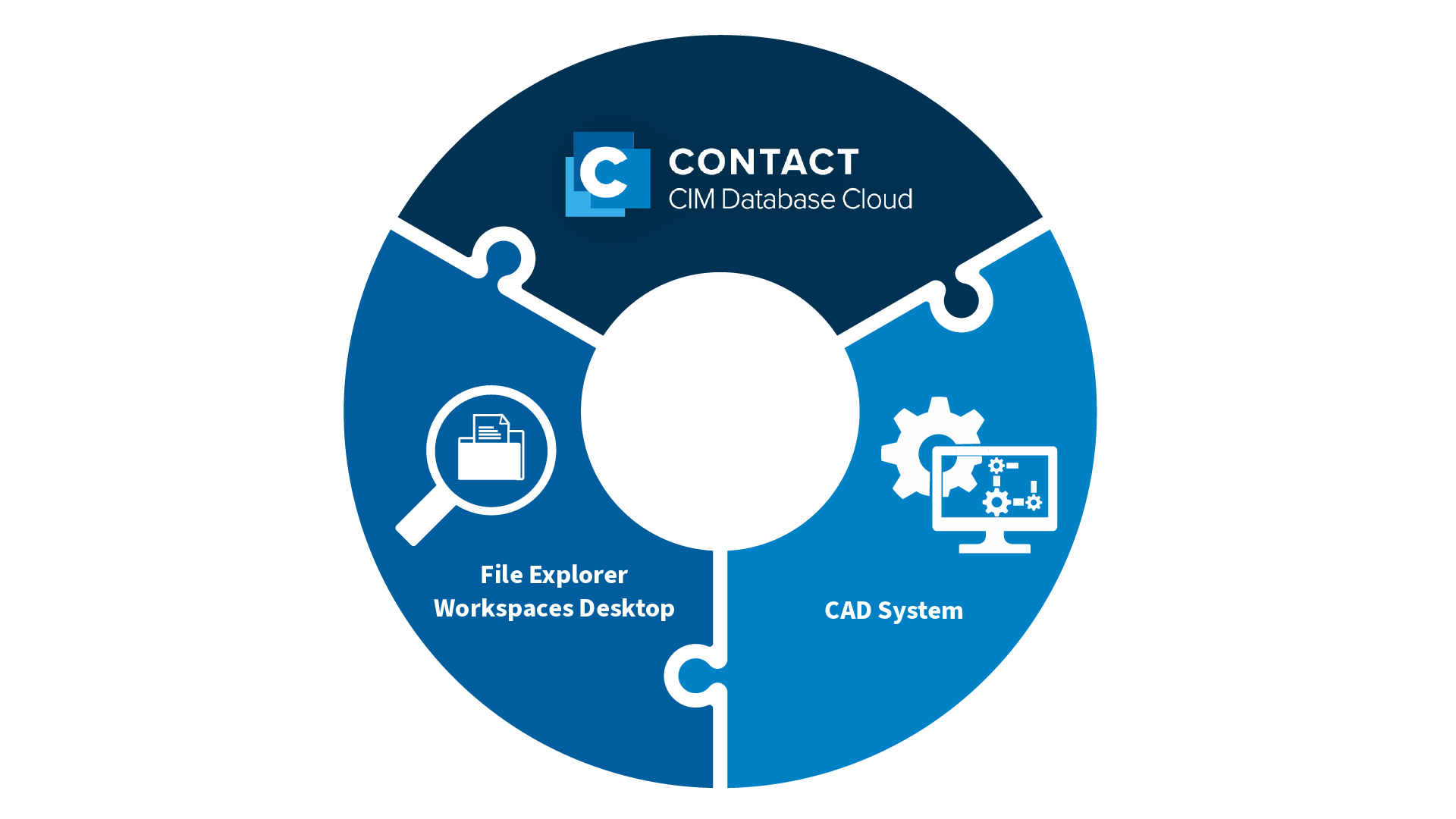
KR: The CONTACT Workspaces Desktop. This file explorer is a powerful tool for product data management. As a central platform, the Workspaces Desktop allows designers and CAD developers to customize their work environment, organize files, promote teamwork, and access essential tools for their work. It acts as the technical bridge between CAD systems and CONTACT Elements. Information seamlessly flows between these systems and product-relevant properties are securely stored in the CONTACT Elements platform.


The structures of documents in MCAD systems such as SOLIDWORKS, NX, Catia, and Creo are complex and require intelligent team data management. CONTACT’s Workspaces Desktop meets these requirements. It relieves designers from tedious routine tasks while ensuring a process-safe database. This is achieved through standard interfaces to leading MCAD and ECAD systems, along with the most powerful multi-CAD data management on the market. Additionally, the open architecture ensures seamless business processes with other IT systems like SAP.

In conjunction with CONTACT’s Cloud PLM system, CIM Database Cloud, the Workspaces Desktop allows to access all CAD data from anywhere at any time and to link it with all data along the entire product lifecycle.

Conclusion

The seamless integration of PLM and CAD is essential to avoid data silos. Cloud-based PLM software connects MCAD and ECAD models with all other product-relevant documents and data. This ensures access to identical data at any time and from anywhere. Using Cloud PLM with interfaces to CAD systems creates a fundamental prerequisite for efficient, cross-location collaboration between design teams.

The Cloud PLM system CIM Database Cloud integrates seamlessly with leading MCAD/ECAD systems. The CONTACT file explorer Workspaces Desktop allows users to connect all CAD documents with product lifecycle data and access them from anywhere.

Digitalization for the High Seas

The sun is shining in Hamburg, and the mild autumn air is in motion – even though I am perfectly equipped for rainy weather. In early October, shipbuilders from around the world gather in a conference hotel near the harbor for the CADMATIC Digital Wave Forum. The user meeting invites participants to experience CADMATIC’s CAD application for shipbuilding firsthand and to learn about current trends, product innovations, and new developments. The highlight: CADMATIC Wave, an integrated CAD/PLM solution specifically designed for shipbuilding and jointly developed by CADMATIC and CONTACT.

Model visualization simplifies data retrieval and collaboration

After our first coffee, we slowly make our way into the conference hall. The morning is filled with numbers and facts around CADMATIC’s digitalization strategy. In the afternoon, our Managing Director Maximilian Zachries presents CADMATIC Wave to the 200 participants. As we demonstrate the first functionalities of the integrated Product Data Management (PDM), some attendees quickly pull out their phones to snap a photo of the feature. I am somewhat excited – now it’s official. Now we also need the data model. And that isn’t quite so simple.

Cadmatic's Atte Peltola introduces the audience to Cadmatic Wave

CADMATIC’s Atte Peltola presents CADMATIC Wave. (© CADMATIC)

The resounding call for a data model for shipbuilding carries me through the three days in Hamburg. During my conversations with industry colleagues, it becomes evident that the information required and generated in the shipbuilding process must be able to be mapped within the model. Model-centric is the magic word: the ship’s geometry is visualized, including equipment, fittings, and logistics. Information can then be retrieved and added via the specific parts of the model. Model visualizations provide a shared and intuitive view of the ship for all involved trades, significantly simplifying information retrieval. This enhances the efficiency of engineering activities and collaboration, also with partners.

Basing a data model on ship geometry is challenging

Engaged in a discussion with a research associate from the Norwegian University of Science and Technology (NTNU), we stumble upon a question: Is the geometry model even suitable for generating a generic product structure for data storage in the PDM? After all, as a placeholder in a data model, there are quite a few locations in such a ship. And let me put it this way: data models are typically organized along the processes in product creation, not the geometry of a ship model. I am curious to see how we will solve this challenge in CADMATIC Wave.

The evening event takes place on the Cap San Diego, a museum ship in the Hamburg harbor. The rustic flair of a ship’s belly and the lavish buffet create a cozy atmosphere for lively conversations. We talk about life in Finland and Norway and the difference between information and data management. The evening ends stormy and rainy, and I finally put my rain gear to good use and return to the hotel dry and warm.

SEUS brings European shipbuilding to a new efficiency level

At the CADMATIC Digital Wave Forum, I also meet my consortium partners from the Smart European Shipbuilding (SEUS) project for the first time. Among them are representatives from NTNU and CADMATIC, as well as employees from two shipyards, the Norwegian Ulstein Group and the Spanish Astilleros Gondan SA. SEUS is an EU-funded research project with the goal of developing an integrated CAD and PLM solution for shipbuilding. This endeavor goes way beyond the functionalities we develop in CADMATIC Wave. For instance, we aim to incorporate knowledge management and utilize AI for searching within product data.

In this context, the broad positioning of our research department, CONTACT Research, works to our advantage. Our focus areas include not only Digital Lifecycle Management, where we conduct research on digitalization strategies for various industries, but also Artificial Intelligence. The AI product data search we aim to implement in SEUS allows us to bring our self-declared motto to life: “Bringing artificial intelligence into the engineering domains.”

As three days in Hamburg come to an end, three strong impressions remain:

  1. It is necessary to design an abstract data model for shipbuilding. One that contains the modules of a ship and yet can be customized to fit the specific needs of any shipbuilder. This data model must be closely linked to the development process.
  2. Personal exchange and meeting each other face to face have been an enriching experience for me in this new work area. This positive feeling motivates me for my future work in the SEUS project.
  3. In Hamburg, rain gear is a must.

Cloud makes PLM accessible for SMEs

Exploring the benefits of cloud-based PLM for small and medium-sized enterprises

In the past, PLM systems were associated with high upfront costs and complex installations. They seemed out of reach for many small and medium-sized enterprises (SMEs) and were not implemented. Thanks to cloud technology, that has changed: Cloud PLM software does not require a local installation or an in-house IT department and can be licensed on a monthly basis.

Cloud technology is a real game-changer for SMEs, especially since Product Lifecycle Management (PLM) has become more crucial than ever! Continuous technological advancements and shortened product lifecycles lead to increased complexity in areas such as development, design, engineering, and manufacturing.

In this blog post, you will discover how SMEs in particular can benefit from Cloud PLM.

The cloud removes access barriers to PLM systems for SMEs

Large enterprises with dedicated IT departments have a choice: they can use an on-premises PLM system, which is installed and run on company servers. In this case, the in-house IT department is responsible for its installation, configuration, and maintenance. It oversees the security and data protection of the PLM system to safeguard sensitive company data. The IT department also assists users with technical issues and contributes to the integration of the PLM system into the existing IT infrastructure. The installation of on-premises PLM software incurs high initial costs.

Alternatively, large enterprises can choose cloud-based PLM software, where the cloud provider is responsible for the infrastructure. The workload on in-house IT is significantly reduced compared to on-premises software. With Cloud PLM, tasks related to the maintenance and updating of physical hardware are eliminated, as these are taken care of by the cloud provider. The software provider, in turn, handles the regular updating and maintenance of the software, including security patches. Instead of one-time acquisition costs, this PLM operating model comes with monthly licensing fees.

Many SMEs do not have this choice: they cannot afford on-premises PLM systems, as they lack both the financial and personnel capacities to implement and run them. It is only through cloud technology that SMEs gain access to PLM software. It eliminates the access barrier of high upfront costs and the need for an in-house IT department to implement and maintain the software.

Benefits for SMEs through the use of Cloud PLM systems

Cloud PLM increases efficiency and competitiveness

The results of a study by engineering.com indicate that development teams of up to 20 people in companies that do not use PLM systems waste around 25 percent of their working time on unproductive activities. These tasks include revising models due to outdated revision versions, designing components that already exist but are hard to retrieve, and preparing data for colleagues without direct data access. These findings show that SMEs benefit from more efficient management of their product lifecycle data and ensure their competitiveness, even against larger competitors. This is particularly important as SMEs face similar customer expectations as large enterprises, for example, with regard to product variants and customization.

One advantage that SMEs have over large corporations is their agility and ability to respond quickly to market changes. They should capitalize on this benefit! PLM software supports them by fostering close collaboration among project teams, involving customers and suppliers in the development process, and facilitating the shared use of data.

Furthermore, cloud PLM systems enable significant cost savings for SMEs with limited financial resources, as they optimize resource utilization in the product development process and reduce scrap.

PLM systems also help raise product quality. They ensure that specified standards and norms are adhered to. This is crucial because quality issues can have a significant impact on company reputation and customer satisfaction, especially if the enterprise is not a market leader and has yet to establish itself among the competition.

Cloud PLM ensures highest security standards and boosts employer attractiveness

Cloud providers offer high-security data centers with state-of-the-art data encryption, automatic security updates, precise access rights, and redundant data storage. Additionally, the major cloud providers are certified according to relevant standards such as ISO and CSA-STAR. For SMEs without a well-staffed IT department and the necessary server infrastructure, adhering to these stringent security standards would not be possible without the cloud. Learn more about data security in cloud PLM here.

Cloud PLM systems drive collaboration and communication within the company and enable teams to work together from different locations. Employees can access PLM data from anywhere, which allows businesses to recruit professionals globally. This is a crucial advantage, especially for lesser-known companies that struggle to find qualified employees for open positions that require specific skills and qualifications.

Cloud PLM keeps up with company growth and can be easily tested in advance

Their easy scalability allows cloud PLM systems to be adapted to team size, by flexibly adding or removing licenses. Monthly license fees can be precisely calculated, which makes cloud-based PLM particularly appealing for growing businesses with limited budgets.

Companies can easily test cloud-based PLM software, as it can be accessed via the internet with just a few clicks and does not require local installation. Many software providers offer comprehensive trial versions for free. Especially SMEs that have no previous experience with PLM benefit from such test offers, as they allow them to gain an insight into the software and its functionality.

You can find an overview of the general benefits of cloud PLM for companies in this infographic.

Conclusion

Cloud PLM enables SMEs to efficiently manage the entire product lifecycle, thereby accelerating product development, reducing time-to-market, and enhancing competitiveness.

Cloud technology makes PLM systems a feasible option for many SMEs: cloud-based deployment enables them to flexibly scale their PLM software and reliably plan operating costs with monthly fixed licensing fees. They also benefit from automatic data backups, maintenance, and updates performed by the cloud and software providers.

CIM Database Cloud offers software solution packages (Collaborate, Accelerate, Innovate, or customized) for teams of all sizes and can be flexibly scaled as your team grows.