Sustainable PLM through a cloud-based solution

Why Cloud PLM is the more sustainable choice

The Paris Agreement has a clear objective: limiting global temperature rise to below two degrees Celsius. To achieve this goal, companies must reduce their carbon footprint significantly. One promising way to enhance the resource efficiency of the employed Product Lifecycle Management (PLM) system is by utilizing cloud services. The shift to the cloud can be likened to carpooling, where the company’s on-premises server is akin to one’s own vehicle. In this example, it consumes substantial resources in the form of power to remain constantly operational. Cloud service providers act as carpools, sharing resources with multiple parties, eliminating the need for individual companies to operate extensive infrastructures. This not only saves resources but also enhances efficiency.

Discover why PLM in the cloud is the more sustainable choice compared to on-premises PLM software in this blog post.

On-premises versus cloud operation of PLM systems

On-premises or in the cloud – the operating models of PLM systems exhibit significant differences:

In on-premises operation, an internal server of the company hosts the PLM software, requiring capital-intensive investments in proprietary hardware and software. Local infrastructure is subject to a fixed capacity, potentially leading to bottlenecks during peak demand. Companies bear the responsibility for managing, maintaining, securing, and upgrading the PLM system themselves. Implementing new features or updates also requires a considerable lead time.

In contrast, cloud operation relies on an external provider to supply the server infrastructure. The cost structure is typically based on regular licensing fees. Cloud PLM systems are scalable, allowing resources to be flexibly adjusted based on demand. Management, maintenance, security, and system updates are the responsibility of the cloud provider. Compared to the companies using the PLM system, cloud providers possess more comprehensive expertise and state-of-the-art security technologies. New features or updates are implemented faster, given the external management of infrastructure and automatic updates.

3 Factors enable sustainable PLM in the cloud

Efficient resource utilization through cloud technology:

Server capacity, storage space, and network bandwidth can be efficiently managed in Cloud PLM software. The scalable cloud infrastructure allows PLM systems to adapt to specific requirements, such as adding or removing users. Scaling ensures optimal resource utilization while preventing energy waste.

Cloud providers also invest in efficient data centers and employ technologies like virtualization to maximize energy efficiency. This enables multiple virtual systems, operating systems, and applications to run on a single server. Consolidating servers and sharing hardware reduces energy consumption compared to decentralized software deployment. Advanced cooling technologies and intelligent energy management systems contribute to efficient resource utilization in data centers.

Using cloud services also reduces the need for local hardware such as servers, storage devices, and network equipment, resulting in less electronic waste and reduced demand for raw materials for new devices.

Dynamic load distribution in the cloud also contributes to overall efficiency. Traffic management flexibly adjusts to the performance needs of PLM applications to avoid network overloads.

Selection of sustainable cloud providers:

PLM in the cloud is particularly sustainable when chosen cloud providers use renewable energy sources. By leveraging solar power, wind energy, or hydropower, these companies reduce their ecological footprint.

Centralized updates and maintenance:

Cloud PLM providers centrally perform automated software updates and maintenance. This reduces the need for manual interventions at customer sites, which saves time, resources, and travel expenses.

Conclusion

In comparison to the local deployment of PLM software, the cloud enables more efficient resource utilization through flexible scaling, increased energy efficiency, and a reduced carbon footprint. Operating PLM systems in the cloud is more sustainable than on-premises when companies choose a cloud provider that uses renewable energy. Learn more about PLM and sustainability on our website.

CIM Database Cloud can be flexibly scaled up or down and is hosted on Amazon Web Services (AWS), which aims to operate entirely on renewable energy by 2025.


The importance of user experience for Cloud PLM

Factors and features improving usability

In an increasingly digitalized world, cloud-based solutions for Product Lifecycle Management (PLM) play a crucial role in efficiently managing product data and processes. A number of providers develop Cloud PLM software. Apart from functionalities and pricing, the user experience (UX) holds particular importance as it significantly influences user acceptance.

In this blog post, you will learn why selecting user-friendly Cloud PLM software is essential and what considerations you should keep in mind.

Why UX is important

When it comes to software, a well-designed user experience is not just a nice-to-have but a crucial factor that significantly influences how users perceive a tool, adapt and use it. Here are 5 reasons why you should prioritize user-friendliness when choosing Cloud PLM software:

  1. User satisfaction: A well-conceived user experience increases user satisfaction. When users intuitively understand a software and find interacting with it pleasant and rewarding, they are more inclined to use it again.
  2. Efficiency and productivity: A compelling user interface and meaningful interaction options enable users to complete tasks faster and more effectively.
  3. Error reduction: A thoughtful UX helps minimize errors. Clear instructions, easy navigation, and consistent design elements lead to users making fewer mistakes and finding solutions faster when errors do occur.
  4. Accessibility: A good UX takes into account the diversity of the user base and includes people with different abilities and limitations. Accessible designs allow everybody to work with the software without barriers.
  5. Cost-Efficiency: Software with an intuitive UX can save costs in the long run, as users make fewer mistakes and the need for support and training decreases.

Cloud PLM and the challenges of user-friendliness

Cloud PLM systems enable centralized management of product information in real time, promoting collaboration and efficiency. Nevertheless, they initially pose some challenges for new users: they have to familiarize themselves with a new user interface, learn how to use complex functions, and handle data from a variety of sources. A sophisticated UX helps overcome these challenges:

Intuitive user interface: The user interface should be simple and intuitive to enable quick familiarization. A clean design and well-placed features help users navigate easily.

Customized dashboards & charts: Custom dashboards and time schedules allow users to see information and functions relevant for their tasks at a glance. Gantt charts, for example, provide a clear overview of project progress, aid in identifying task dependencies, and simplify resource planning.

Collaboration tools: A high-quality Cloud PLM platform should offer seamless collaboration features. Comment functions, real-time collaboration, and shared editing options are crucial for facilitating communication and information exchange.

Search and filter functions: Efficient search and filter functions, including an enterprise search, help users quickly access needed information. This is especially crucial with large datasets.

Integration with other systems: Seamless integration with other enterprise systems like ERP or CAD dissolves data silos and ensures all relevant data are linked.

User guidance and training: Well-structured tutorials and training materials assist users in utilizing the software to its full potential. A carefully crafted onboarding strategy is crucial to achieve a flat learning curve.

Feedback mechanisms: Users should be able to provide feedback for continuous software improvement. A dedicated community serves as an ideal platform for an open dialogue between developers and users.

Conclusion

For Cloud PLM software, an excellent user experience is not an option but a necessity. It enhances productivity, cost-efficiency, and user satisfaction. The entire team, including members with disabilities, can effortlessly and efficiently work with the tool. User-friendly Cloud PLM systems offer intuitive interfaces, customizable dashboards, collaboration tools, search and filter functions, training and feedback options, as well as integrations with third-party systems.

CIM Database Cloud provides state-of-the-art PLM features combined with an intuitive user interface and a flat learning curve.

Why connecting Cloud PLM and CAD is important

How the integration of Cloud PLM and CAD supports efficient product development

Engineers, designers, and CAD users often experience data chaos in their daily work: MCAD files (Mechanical Computer-Aided Design) can either be archived in a technical document management system or stored in the file system. While some ECAD systems (Electronic Computer-Aided Design) offer dedicated database solutions, there is still limited communication and interaction between the MCAD and ECAD worlds. The consequence? Mutual dependencies are not consistently represented in a single software. Although workflow management systems can provide good orientation about the current project phase, they are limited to merely providing links to documents without managing them reliably. This leads to data silos that complicate collaboration among design teams and slow down the entire product development process.

The integration of Cloud PLM and CAD solves this problem. PLM software connects CAD models with all other product-descriptive documents and data, breaking down silos and organizing the data chaos.

Find out how the integration of Cloud PLM and CAD leads to more efficient product development in this interview with Kai Ruhsert and Heiko Jesgarsz, Product Managers at CONTACT Software.

What is the advantage of PLM in the cloud?

KR: Product Lifecycle Management (PLM) allows companies to manage the entire lifecycle of a product, from the initial idea and development to production, distribution, and maintenance. Instead of installing PLM software locally, cloud-based PLM provides access via the internet. This not only leads to better scalability and increased security but also lower IT infrastructure costs. The integration of employees at any additional locations is simplified, making collaboration in global product development projects more efficient.

What benefits arise from the integration of Cloud PLM and CAD?

HJ: Many design teams need to collect, review, and assess product-related documents from various sources. Providing information to ERP systems or business partners further increases manual efforts. This is not only a challenging but also time-consuming task with significant potential for errors. In some cases, media discontinuities may occur, for example, when outdated information is recorded in Excel spreadsheets and passed on to downstream processes. The results are “data silos” which complicate information exchange and collaboration, causing unnecessary efforts.

Such shortcomings are particularly problematic when it comes to fulfilling documentation and process compliance due to high customer requirements or legal changes. Or when component manufacturers want to become system providers and the new customers demand an audit-proof documentation of the entire product development process. Without a PLM system, the necessary technical infrastructure for this is lacking.

The solution to this problem: managing all relevant data of the development process using PLM software, thereby creating a “single source of truth”. The PLM system not only links MCAD and ECAD models but also establishes a consistent cross-disciplinary database. This leads to high data consistency and transparency regarding the functional and structural relationships between electronics and mechanics.

The integration of Cloud PLM and CAD is particularly valuable for many companies as it simplifies collaboration and information exchange between design teams and other departments. This ultimately makes product development and manufacturing more efficient.

What solution does CONTACT Software offer to connect Cloud PLM and CAD data?

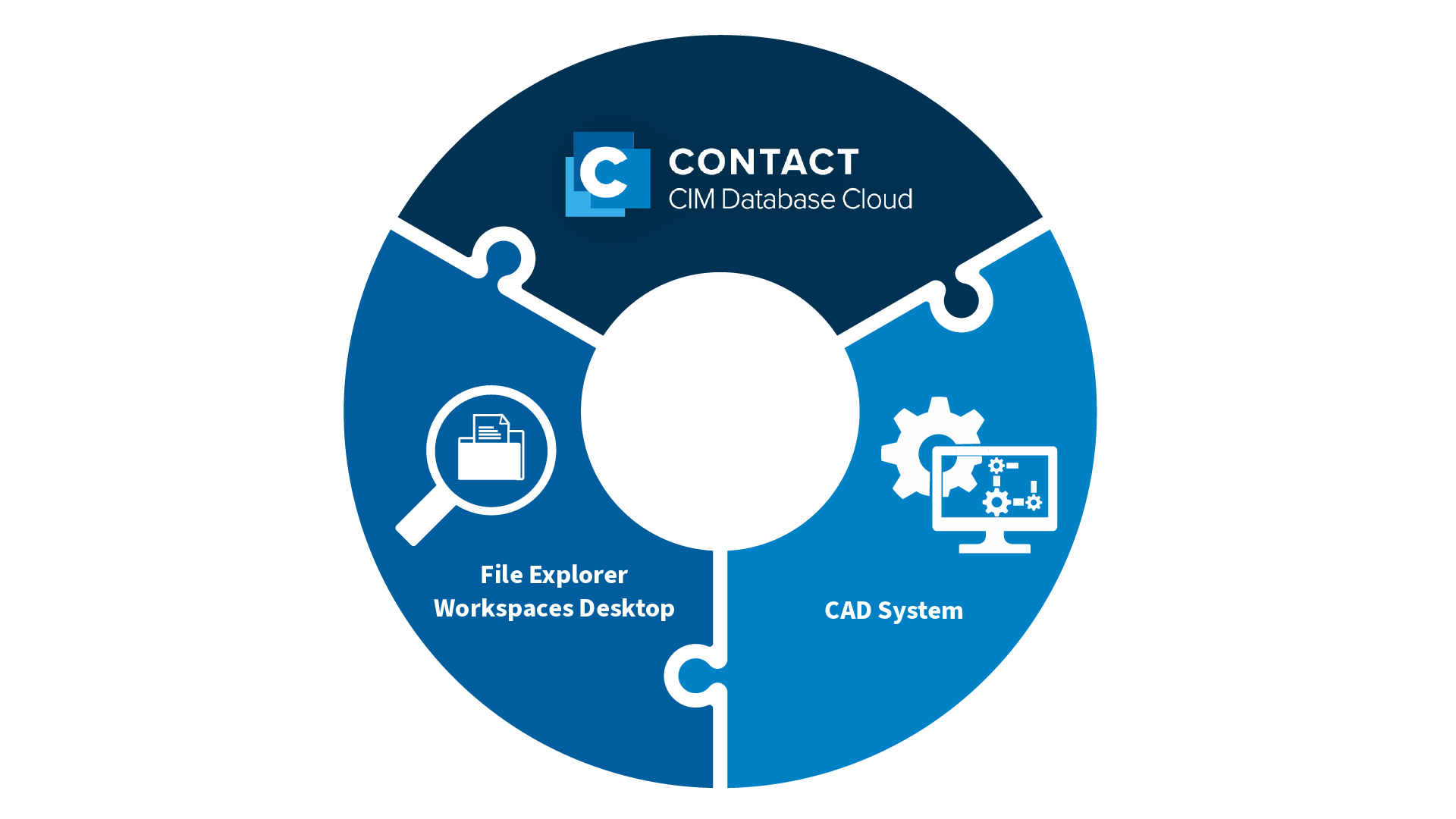
KR: The CONTACT Workspaces Desktop. This file explorer is a powerful tool for product data management. As a central platform, the Workspaces Desktop allows designers and CAD developers to customize their work environment, organize files, promote teamwork, and access essential tools for their work. It acts as the technical bridge between CAD systems and CONTACT Elements. Information seamlessly flows between these systems and product-relevant properties are securely stored in the CONTACT Elements platform.


The structures of documents in MCAD systems such as SOLIDWORKS, NX, Catia, and Creo are complex and require intelligent team data management. CONTACT’s Workspaces Desktop meets these requirements. It relieves designers from tedious routine tasks while ensuring a process-safe database. This is achieved through standard interfaces to leading MCAD and ECAD systems, along with the most powerful multi-CAD data management on the market. Additionally, the open architecture ensures seamless business processes with other IT systems like SAP.

In conjunction with CONTACT’s Cloud PLM system, CIM Database Cloud, the Workspaces Desktop allows to access all CAD data from anywhere at any time and to link it with all data along the entire product lifecycle.

Conclusion

The seamless integration of PLM and CAD is essential to avoid data silos. Cloud-based PLM software connects MCAD and ECAD models with all other product-relevant documents and data. This ensures access to identical data at any time and from anywhere. Using Cloud PLM with interfaces to CAD systems creates a fundamental prerequisite for efficient, cross-location collaboration between design teams.

The Cloud PLM system CIM Database Cloud integrates seamlessly with leading MCAD/ECAD systems. The CONTACT file explorer Workspaces Desktop allows users to connect all CAD documents with product lifecycle data and access them from anywhere.